At a mid-sized industrial company, around 140 technical characteristics describe a single component, from dimensions to delivery form. In SAP S/4HANA they live in the material classification. To keep their maintenance from becoming a source of errors, the project team built its own data entry tool, developed through vibe coding with Claude Code. The business team was the “developer”.
Starting point
The company manufactures technical components, often to customer requirements and each with its own specification. Each component is represented in SAP as a material master record. What defines it technically sits in the material classification, in this case one class with around 140 characteristics. They describe the component's dimensions, tolerances and material data, plus its delivery form. In SAP S/4HANA these characteristics are the system of record for production and every downstream process.
The standard SAP screen shows them as a long list. It validates no dependencies between characteristics unless object dependencies have been modelled, and it calculates no values. What was needed was guided data entry per product family, with validation of every input, calculated values and automatically generated drawings and cost calculations, with SAP remaining the system of record.
An editor in a single file
The result is a dedicated editor for the material specification. It consists of a single HTML file on SharePoint that opens in the browser with a double-click. The file contains the rule set, the templates per product family, the drawing logic and the PDF generator. Nothing needs to be installed or hosted. Selecting a product family in the product tree brings up exactly the fields and default values for that component type.
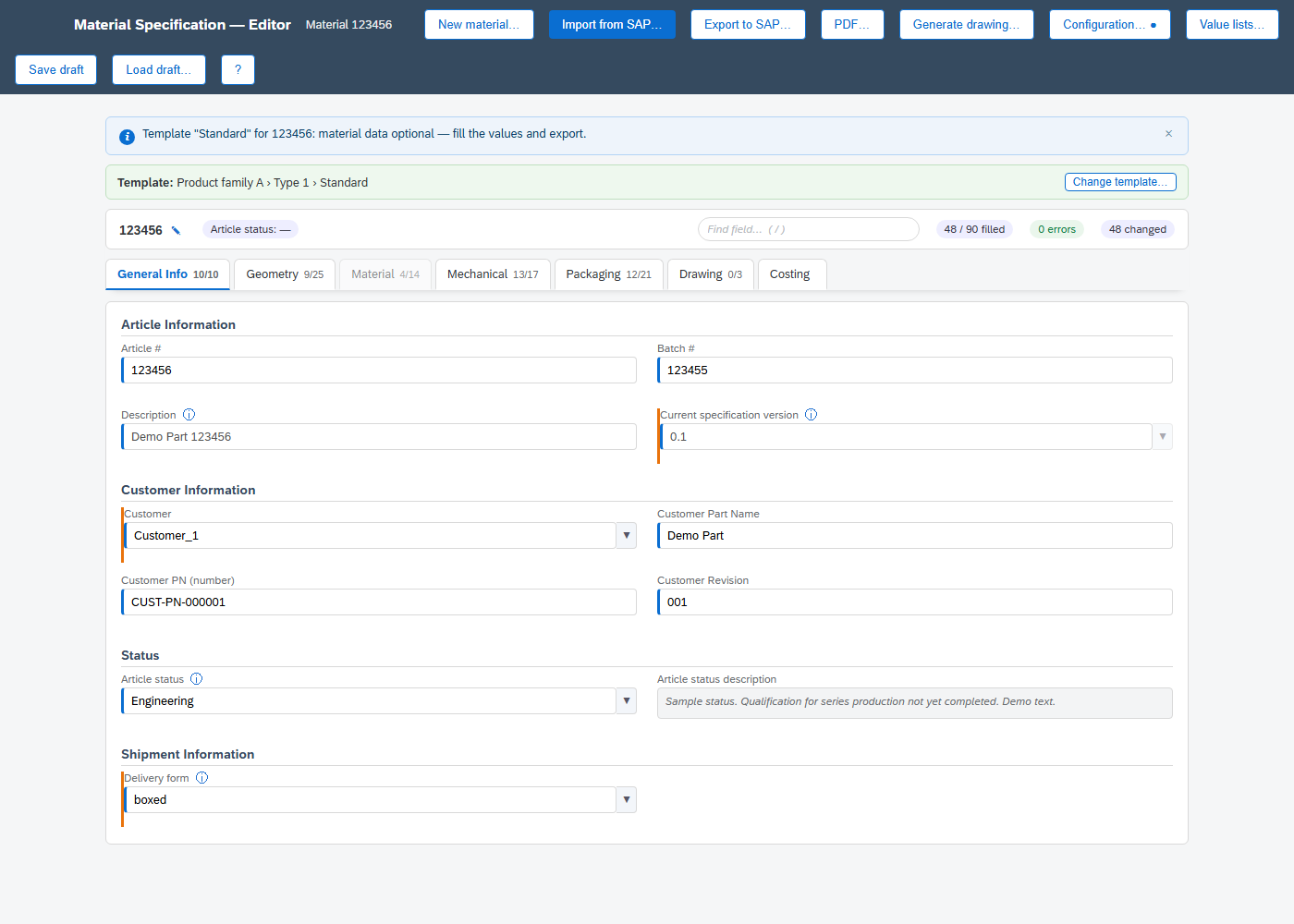
The real work lies in the field rules. Dimensions and tolerances are entered with their unit and sign, dependencies between fields are evaluated immediately and derived values are calculated automatically. An export to SAP is only possible once all fields are error-free and consistent.
Drawings that update live
The same values produce a true-to-scale component drawing with top view, sectional view and 3D view. Change a value and the drawing changes with it. The complete specification, including the drawing, can be exported as a PDF and shared with the customer.
How the process works
- The customer delivers the specification for a component.
- Business users enter the values in the editor using the matching template.
- The validated data is written to the material master classification as an export file, processed by a lean SAP report.
- For changes, the current state is loaded from SAP into the editor, validated against the same rules and written back. SAP change documents provide a complete audit trail of every step.
Equally important is what the editor deliberately does not do. It has no database of its own, work in progress exists only as a local draft on the user's machine, and the data in SAP is the only authoritative version.
The business team is the developer
The editor was created without a conventional development team. It was built by the company's business team and Hubert Strohmeier of STROWA, with Claude Code, the AI development tool from Anthropic. In vibe coding, requirements are written in natural language, the AI writes the code, and the team reviews the result in the browser and in the SAP system before defining the next iteration.
The business team knows the products, the customer specifications and the exceptions that come up in day-to-day work. It defined the business rules and tested every version against real specifications. Strohmeier covered the SAP side and directed the development in Claude Code. Feedback typically arrived as a screenshot with a short note and was implemented in the next version. In this way the tool grew in short cycles alongside the regular project work.
Three decisions shaped the project. First, the rule set lives in a model, not in the code. The characteristic list from SAP and a manually maintained rules file are merged into one model from which the user interface, validation, export and PDF are derived. A new characteristic needs no additional coding, and the business team maintains the value lists itself. Second, an automated test suite with more than 800 checks protects every change. Third, SAP expertise stays with people. Which BAPIs update the classification correctly, and how change numbers and authorisations take effect, was defined by the team and verified in the SAP system.
“We tested the rules directly against real customer specifications and corrected errors straight away. A new requirement was in the next version within a very short time. That way edge cases are caught and corrected up front, before they cause expensive problems in production.”
What it cost
STROWA estimates that building a comparable tool as a conventional custom development in SAP, a Fiori app with the corresponding OData services, would take more than 40 person-days. The editor took 5 person-days and runs with no additional licence costs and no infrastructure of its own. The gap widens in maintenance. In a custom development a new characteristic means changes to the backend, the user interface and the tests, plus a transport. In the editor it is one entry in the model. An SAP release upgrade does not affect the editor, and the report uses only released standard BAPIs.
What this means for SAP users
This is not a one-off for a single industry. Almost every company has master data that is complex from a business perspective and tedious to maintain in the standard SAP screens. Until now the answer has been Excel with macros or a development project that rarely pays off for a single department. AI-assisted development creates a third option. A tool tailored precisely to one process now takes days of effort rather than months. The prerequisite is a team in which the business team is the developer and someone knows SAP. AI speeds up the build considerably, but SAP expertise, process knowledge and accountability for the result remain with people.

About the author. Hubert Strohmeier is the owner of STROWA GmbH in Wangen-Brüttisellen near Zurich and has spent more than 25 years on SAP projects as a consultant, project manager and solution architect.